Pegfinity Systems and Steam Deck Setup
Habits and hardware notes so the cabinet juice stays fun instead of a strobe next to a tiny meter.
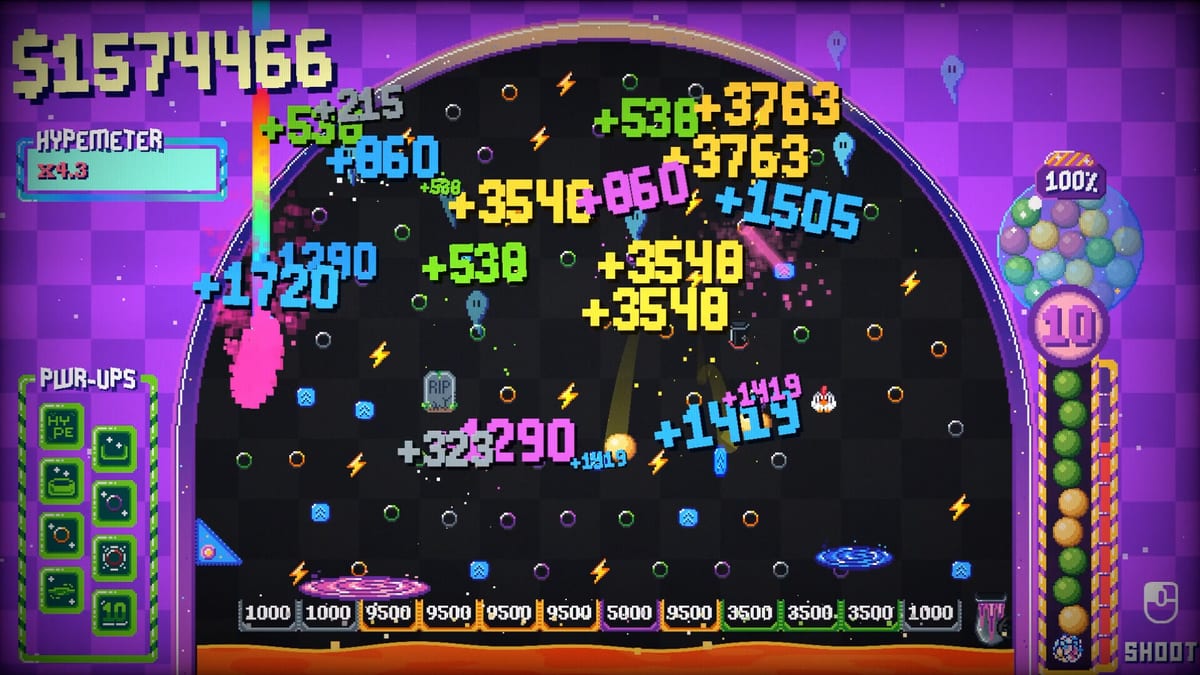
This page is the quality-of-life tool. Pegfinity’s systems are small: a power meter, a random board, a tree, a Hypemeter, a chest popup. Launch-week pain sits in those systems, not in a missing wiki map. Pair this with controls, platforms, and known issues.
Power meter habit
Problem: the meter is small and off to the side, so optimal play becomes staring at UI. Habit: start the hold while the previous ball is still falling. Release on cooldown without looking. Top-row charges beat perfect snipes. Not a habit: hunting an auto-launcher node in the tree. 1.2.3 auto-fires only when charge hits maximum. Fill the meter while the cascade runs, or release early on a rhythm. Full notes: patch notes.
Hypemeter habit
Problem: waiting for a silent board before the next shot. Habit: overlap hits. Launch while sparks exist. Details on Hypemeter.
Steam Deck
Demo players said the one-button loop felt nicer on Deck and on touch than on a mouse-heavy desktop. Use a trigger for hold-to-fire. Keep the device vented during long chain reactions. Assume local saves until cloud save is confirmed — a launch thread already asked. If you swap PC and Deck, copy nothing and hope; there is no official sync story yet.
Minimum PC spec from Steam: Windows 10 64-bit, dual-core 2.0 GHz, 4 GB RAM, DirectX 12 or Vulkan, 500 MB disk. Deck-class hardware is inside that envelope. If the game chugs when the atomic bomb hits everything, lower the flash, not the wiki.
Flashing backgrounds
A Steam discussion is titled as a seizure hazard request: option to disable the background. The accessibility patch adds toggles to disable background pattern movement and the blinking pulse light. Turn both off if strobe bothers you. Disco plus bomb plus firework on the board can still flash. This is a colourful incremental. Take that seriously if you need to.
Chests and the New PWR-Up popup
Snipe chests when they appear. Hotfix 1.2.2 makes the Power Up popup work with a controller. If a mouse popup still sticks, restart and then check known issues. Do not keep clicking for an achievement that is actually a freeze.
Cloud save, Discord, languages
Cloud save: asked, not confirmed. Discord: asked, not listed on Fragment Ventures’ public pages we used. Use Steam discussions and the links hub. Languages: Steam ships English. This wiki adds French, German, and Spanish for readers. The client will not gain those just because the wiki did.
A tiny setup checklist
- Windowed or a Deck profile you can see without squinting at the meter.
- Volume at a level where juice is fun, not a drill.
- Background motion and pulse off if strobe bothers you.
- Upgrade order planner on a second screen or phone.
- Patch notes open if you still think Graveyard costs 90 million.
If all five are done, you do not need more systems. You need a cactus. Go to special pegs.
Steam also lists full controller support and a mouse-only option. Patch 1.2.3 adds max-charge auto-launch on top of that. It means a full meter fires without a perfect click, not that you can AFK the tree. Charge during the cascade, let the cap fire or release on cooldown, and keep the board in the centre of your vision. If a long chain-reaction session climbs RAM, restart between sits and check the memory-leak thread via known issues. Hardware comfort is part of finishing the tree, not a side note.
Frequently Asked Questions
Quick answers players ask after the Steam launch.
Is there an auto-launcher?
At max charge the ball auto-launches as of 1.2.3. It is not a tree gadget. Charge-without-looking still helps — controls.
Does Pegfinity have cloud save?
Not confirmed at launch. A Steam thread asked. Treat saves as local, especially on Deck.
Can I turn off the flashing background?
Yes. The accessibility patch toggles background pattern movement and the blinking pulse. Board effects can still flash.
Is Steam Deck supported?
Players report it works as a one-button game. Specs are light. See platforms.